When you zip through blue water on a sea scooter, your video can look stunning one minute and oddly pale the next. A red filter can bring back warm skin tones and coral color, but only at the right depth and in the right water. In green water, you may need magenta instead. Add lights too soon and the whole setup can fight itself. The trick is knowing when that tiny filter helps and when it just steals light.
Key Takeaways
- A red filter helps sea scooter videos in clear blue water from about 3 to 22 meters by restoring warm tones lost with depth.
- In Waikiki-style blue water, choose a red filter; in green or algae-rich water, use a magenta filter instead.
- Skip the red filter for close subjects within 1 to 4 meters when video lights already restore accurate color.
- Avoid using a red filter too deep or with bright lights, because footage can turn dim, noisy, or oddly colored.
- Red filters work best for wide-angle ambient scenes, while video lights give cleaner color and lower ISO for close-action shots.
Do Sea Scooter Videos Need a Red Filter?
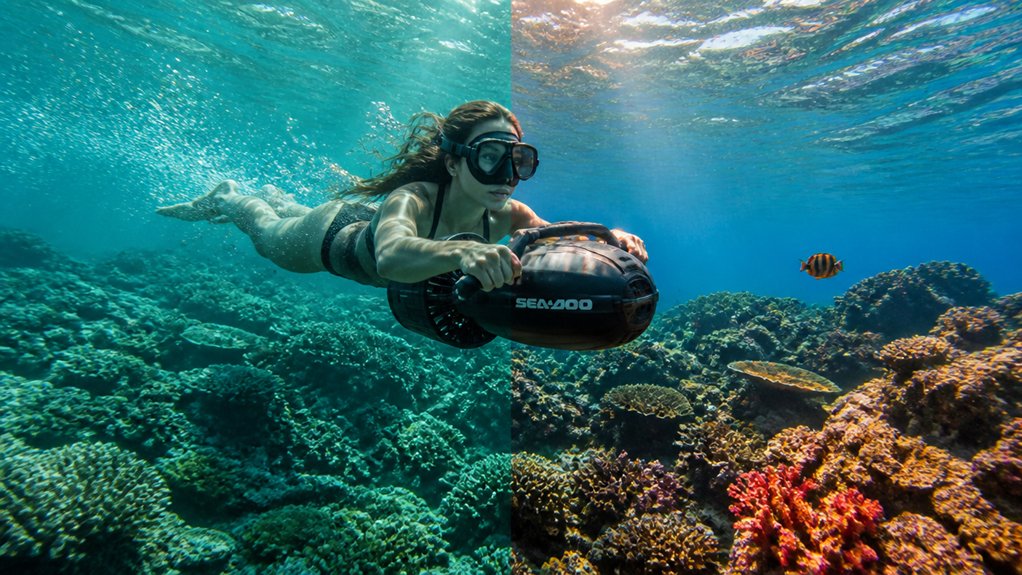
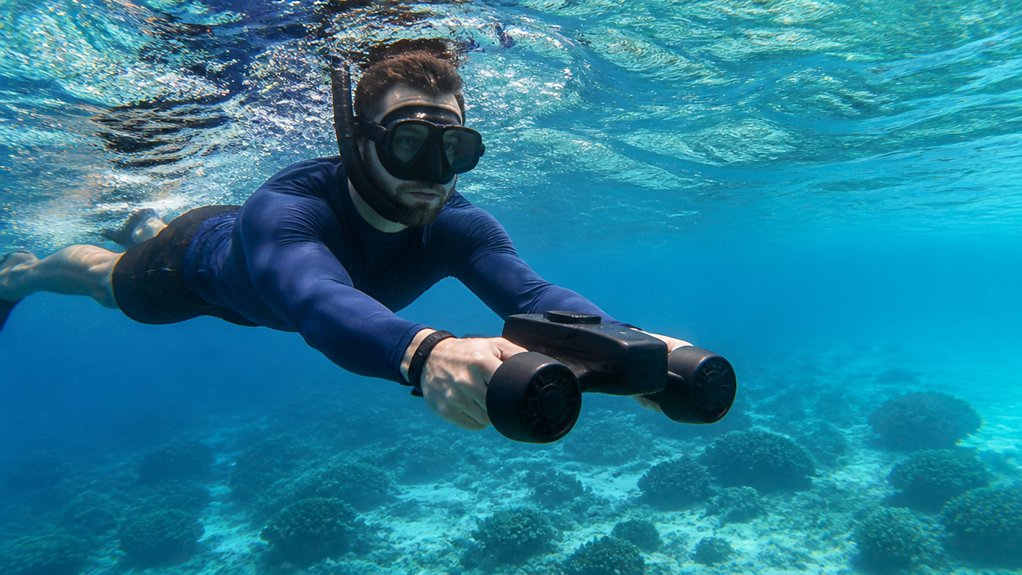
If you’re filming a sea scooter run in clear blue water, a red filter often helps more than you’d think. Once you drop past about 3–5 m, red tones fade fast, and your underwater video can turn cool and flat. A red filter brings back warmer color and gives distant reefs and bubbles a more natural look, especially in wide-angle shots where ambient light rules. For sea scooter tours, matching your GoPro color settings to depth and water clarity can make filter use even more effective. If your video lights are bright and your subject stays within 1–4 m, skip the filter and set white balance carefully. Filters cut exposure, so you may raise ISO or slow shutter. A magenta filter belongs elsewhere. Without RAW, your camera usually benefits more from in-camera color help than post fixes later during editing sessions on the boat home.
Which Filter for Blue or Green Water?
What kind of water are you riding through, blue and clear or green and hazy? That answer tells you which filter belongs on your camera. In blue water, a red filter usually gives your underwater video warmer skin tones, coral, and reef fish by balancing lost ambient light. In green water, switch to a magenta filter to counter the murky algae cast. For GoPro wide-angle sea-scooter clips, filters often beat heavy color correction later, especially for video. Still, check your screen because sunlight angle and depth can shift the look. In places known for Waikiki water clarity, blue-water conditions often make a red filter the better choice for sea scooter footage.
Blue water wants red; green water wants magenta for cleaner, more natural-looking underwater GoPro footage.
- Choose stronger red for very clear tropical blue water.
- Pick magenta for coastal green water with that pea-soup tint.
- Skip filters if lights stay close, or plan careful color correction during your next ride.
When Does a Red Filter Help Most?
Usually, a red filter earns its keep when you’re riding a sea scooter through clear blue water at about 3 to 22 meters, where the sea has started stealing red tones but hasn’t erased them yet. In that depth range, ambient light still carries enough color for the filter to warm your Underwater scenes and help your camera pick a better balance. You’ll notice the biggest payoff in wide-angle sea scooter videos, especially when reefs, wrecks, or your buddy sit farther than a meter or two away. In very shallow water, you usually don’t need it. Go much deeper, and the filter can’t bring reds back from the void. If your camera shoots compressed video, a red filter also saves you editing headaches later. To get the most from it, combine the filter with clear underwater shots habits like steady framing and shooting in bright, clean water during your sea scooter tour.
Should You Use Video Lights Instead?
Lighting changes the game faster than a red filter ever can. When you ride a sea scooter, your best footage usually happens up close, and video lights bring back real color on close-focus subjects within about one to four meters. That makes them a smarter pick for underwater photography than a red filter alone.
- You get stronger color correction in blue and green water, plus better contrast.
- You can lower ISO from noisy 1600-plus to cleaner 200 to 400.
- You avoid weird casts from mixing a red filter with bright video lights.
Creative GoPro mounts can also help sea scooter tours capture steadier close-up footage where video lights work best. For distant backgrounds, a filter can still help beyond your light’s reach. But for fast moving subjects, lights win. Your footage looks cleaner, richer, and less like soup on the screen too.
What Red Filter Mistakes Should You Avoid?
Although a red filter can rescue washed-out water tones, it can also wreck your sea scooter footage if you use it at the wrong time.
Don’t keep a red filter on when your subject drifts past 3–4 m. Your underwater camera will record dim, noisy underwater videos because weak red light fades fast. Skip it on greater depths too. At 20–30 m, ambient color is gone, so the filter can’t revive it.
Also avoid mixing it with underwater strobes or bright video lights unless you rebalance white balance or use gels. You’ll get odd casts and blown highlights in underwater photos and clips. Finally, match filter hue to depth visibility and water type. Greenish water needs magenta, and RAW shooters do better without one. To protect image quality further, prevent GoPro fogging underwater so haze inside the housing doesn’t ruin contrast and clarity.
Frequently Asked Questions
Can a Red Filter Affect Battery Life While Filming With a Sea Scooter?
Yes, it can indirectly affect battery drain: you’ll see power draw from light attenuation and exposure compensation, which can shorten filming duration; added lights increase heat buildup, while accessory weight barely affects your sea scooter.
Are Red Filters Compatible With Smartphone Underwater Housings?
Absolutely, a universe of options exists, but you’ll need housing compatibility, seal integrity, mounting methods, optic alignment, material durability, port adapters, and smartphone models checked first, or you can’t guarantee your filter fits and performs properly.
How Do You Clean and Maintain an Underwater Red Filter?
You clean and maintain an underwater red filter with freshwater rinses for salt removal, lens cloths for drying, anti fogging checks, scratch prevention, silicone seals lubrication, and storage cases so it won’t cloud or warp.
Can Beginners Use Clip-On Red Filters Easily?
Yes, like training wheels for color, you’ll handle clip-on red filters easily: easy attachment, beginner tutorials, clip on durability, color correction, budget options, visibility impact, and usage safety help you start confidently and shoot underwater footage.
Do Red Filters Change Autofocus Performance Underwater?
Yes, you’ll sometimes change autofocus performance underwater: red filters can cause contrast loss, autofocus lag, and focus hunting, while whitebalance shift may aid depth perception; use exposure compensation to limit calibration drift and keep locking.
Conclusion
Take the red filter when you’re filming wide scenes in clear blue water past 3 to 5 meters, and switch to magenta in green water. Leave filters off for close passes, prolonged descents, or when your video lights can do the work. That simple choice keeps colors true, cuts weird casts, and saves you editing headaches later. Get it right, and your reef footage can look brighter than a treasure chest cracked open at noon.